
Flow51 Game Resource
游戏补丁新冰城传奇三部曲 重制版v4.29升级档+免DVD补丁PLAZA版
单机游戏功能调整 · 离线娱乐使用
使用说明:1、解压缩2、安装Update文件夹下对应系统的升级补丁到游戏目录3、复制PLAZA文件夹下的免DVD文件到游戏安装目录4、运行游戏升级档安装步骤:1
- 资源类型
- 游戏补丁
- 原站更新时间
- 2024-05-05
- 下载热度
- 次浏览
功能与按键说明
使用说明:
1、解压缩
2、安装Update文件夹下对应系统的升级补丁到游戏目录
3、复制PLAZA文件夹下的免DVD文件到游戏安装目录
4、运行游戏
升级档安装步骤:
1.安装《新冰城传奇三部曲 重制版》PLAZA版:The.Bards.Tale.Trilogy.Remastered-PLAZA
2.安装本升级档
更新说明:
更新v4.29:
语言选择
现在有一个选项可以覆盖所选语言(由Steam库中游戏属性的“语言”选项卡设置的语言)。
如果您使用“-lang =”命令行(不带引号)启动游戏,您可以通过添加2个字母代码来选择英语,法语,德语,西班牙语,波兰语或俄语,即
-lang= EN
-lang= FR
-lang= DE
-lang= ES
-lang= PL
-lang= RU
此外 - 一旦这个新版本首次运行,将在您的PC上创建一个名为“lang.txt”的新文件,位于“%appdata%/ .. / locallow / InXile Entertainment / The Bard's Tale Trilogy”中 “你电脑上的文件夹。
如果您编辑此文件,则可以覆盖游戏显示的语言; 按照文件中的说明进行操作。
原文:
Update v4.29:
LANGUAGE SELECTION
There is now an option to override the selected language (the one set by the "Language" tab on the properties of the game in your Steam library).
If you launch the game with the "-lang=" commandline (without quotes) you can select English, French, German, Spanish, Polish or Russian language by adding the 2 letter code, ie
-lang=en
-lang=fr
-lang=de
-lang=es
-lang=pl
-lang=ru
Additionally - once this new build has been run for the first time, there will be a new file called "lang.txt" created on your PC, in the "%appdata%/../locallow/InXile Entertainment/The Bard's Tale Trilogy" folder on your PC.
If you edit this file, you will be able to then override which language the game is displayed in; following the directions found within the file.
by PLAZA
以上为资源功能摘要与按键指引,请核对游戏版本和安全提示。
安装与使用须知
-
确认版本与平台
比对游戏版本、资源版本及安装要求;版本不明时先停止安装。
-
保留可恢复的备份
备份存档与即将替换的游戏文件。多个 MOD 或补丁一起使用时,先确认是否存在冲突。
-
确认允许的使用范围
修改器只用于游戏及平台允许修改的单机离线环境,不用于破坏联机公平性,支持正版游戏!
继续发现
更多游戏补丁
火爆狂飙5天堂(Burnout Paradise The Ultimat
先安装V1.001官方升级档后复制EXE执行文件到游戏目录1.100补丁官方下载链接ftp://largedownloads.ea.com/pub/patche
游戏补丁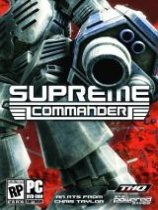
最高指挥官(Supreme Commander)v3217版升级档免CD
暂无介绍!
游戏补丁
工人物语6之帝国的崛起(The Settlers VI Rise of
安装V1.5.4279官方升级档http://files.filefront.com/The+Settlers+Rise+of+an+Empire+v16+Pa
游戏补丁
火爆狂飙5天堂(Burnout Paradise The Ultimat
先安装V1.001官方升级档后复制EXE执行文件到游戏目录1.100补丁官方下载链接ftp://largedownloads.ea.com/pub/patche
游戏补丁