Flow51 Game Resource
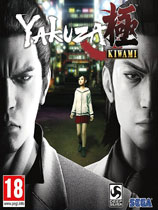
游戏补丁如龙:极 5号升级档+免DVD补丁CODEX版
单机游戏功能调整 · 离线娱乐使用
使用说明:1.解压缩2.运行update目录下的EXE安装升级档3.复制codex目录下的文件到游戏安装目录覆盖4.开始游戏升级档安装步骤:1.安装《如龙:极》
- 资源类型
- 游戏补丁
- 原站更新时间
- 2024-05-02
- 下载热度
- 次浏览
功能与按键说明
使用说明:
1.解压缩
2.运行update目录下的EXE安装升级档
3.复制codex目录下的文件到游戏安装目录覆盖
4.开始游戏
升级档安装步骤:
1.安装《如龙:极》CODEX版游戏:Yakuza.Kiwami-CODEX
2.安装本升级档
更新说明:
机翻:
更新V5:
•修复了一个问题,即如果Windows用户名包含非拉丁字符,则游戏可能在照片亭迷你游戏期间崩溃。
•修复了在使用鼠标和键盘时将“相机控制(垂直)”选项更改为“反转”不适用于鼠标的问题。
•修复了在音频设置中选择“强制下混”时出现的音频问题。
此外,根据用户的要求,虽然我们不能在游戏中为战斗添加单独的FOV滑块,但我们通过编辑ini文件添加了修复:
•在graphics.ini文件中添加了单独的作战FOV值。玩家可以通过浏览到usersusernameappdataroamingsegayakuzakiwamigraphics.ini并更改combatfieldofview=“62.000”值(最小值30,最大值90)来访问。请注意,默认值为62。
更改将在保存ini并重新启动游戏后生效。对游戏内FOV滑块所做的调整将覆盖此设置,因此我们建议希望拥有单独FOV值的玩家首先将游戏内滑块调整为他们喜欢的探索,然后调整ini文件以调整战斗中的视图。
请注意,由于在graphics.ini文件中所做的更改,此修补程序会将您的图形设置重置为默认设置。如果您以前对默认设置进行过任何更改,请再次进行这些更改,然后重新启动游戏。我们为此道歉
更新V4:
补丁说明:
•修复了一个问题,即在一场战斗中,按钮混搭脱离抓取是一个高帧速率的挑战。
•修复了一个问题,即赢得一个游泳池游戏将无法正确进行哈鲁卡探索。
•修复了一个问题,即游戏可以软锁定轮盘小游戏。
•修复了一个问题,即当从商店窗口看时,NPC头发没有正确显示。
•修复了在游戏板上重新映射某些控件未正确反映的问题。
•修复了游戏中调整音量也会影响Windows音量的问题。
•修复了卡拉OK迷你游戏中播放不正确的问题。
•修复了在以更高的帧速率选择项目数量时,滚动速度也会增加的问题。
•修复了一些音乐曲目中的问题。
•调整了SEGA标志的音量。
更新V3:
•修复了对高dpi小鼠没有正确应用小鼠敏感性的问题。
•修复了一个问题,即如果Windows用户名包含非ansii字符,游戏在重试时可能崩溃。
•修复了日语介绍序列中的问题。
更新V2:
•修复了游戏首次运行时音频有限的问题。
•修复了游戏解锁所有场景的问题(仅适用于新玩家)。
更新V1:
•修复了在战斗中FOV滑块放大过多的问题。
•修复了一个问题,即用户界面切换在按下任何按钮后重新打开。
•修复了游戏自动为Nvidia笔记本电脑用户选择集成图形适配器的问题。
•修复了以2560x1080分辨率查看特定客户场景时的边界问题。
原文:
Update v5:
• Fixed an issue where the game can crash during a Photo Booth minigame if Windows user name contains non-Latin characters.
• Fixed an issue where changing the option 'Camera Control (Vertical)' to 'Reverse' didn't apply to the mouse when using mouse and keyboard.
• Fixed an audio issue when "Force Downmix" is selected in the Audio Settings.
In addition, by user request, while we cannot add a separate FOV slider in-game for combat only, we've added a fix via editing the ini file:
• Added a separate FOV value for combat in the graphics.ini file. Players can access this by browsing to UsersUSERNAMEAppDataRoamingSegaYakuzaKiwamigraphics.ini and changing the CombatFieldOfView="62.000" value (minimum 30, maximum 90). Note that the default value is 62.
Changes will take effect after saving the ini and relaunching the game. Adjustments made to the in-game FOV slider will override this setting so we recommend players who wish to have separate FOV values first adjust the in game slider to their liking for exploration, then adjust the ini file to adjust the view in combat.
Please note that this patch will reset your graphics settings to default because of the change made in graphics .ini file. If you have made any changes from default settings previously, please make those changes again and then restart the game. We apologize for this
Update v4:
Patch notes:
• Fixed an issue where button mashing out of grabs during a battle was challenging at high frame rate.
• Fixed an issue where winning a pool game would not progress the Haruka quest correctly.
• Fixed an issue where the game can soft-lock in Roulette minigame.
• Fixed an issue where NPCs hair was not displayed correctly when looking through shop windows.
• Fixed an issue where remapping some controls on a gamepad was not reflected correctly.
• Fixed an issue where adjusting volume within the game also affected the Windows volume.
• Fixed an issue in Karaoke minigame where replay didn't play correctly.
• Fixed an issue where scroll speed was also increased when selecting amounts of items at higher framerates.
• Fixed an issue in some music tracks.
• Adjusted the SEGA logo sound volume.
Update v3:
• Fixed an issue where mouse sensitivity was not applied correctly to high DPI mice.
• Fixed an issue where the game can crash when retrying fights if Windows a user's name contains non-ANSII characters.
• Fixed an issue in the Japanese intro sequence.
Update v2:
• Fixed an issue where the game launched with limited audio on first run.
• Fixed an issue where the game unlocked all the cutscenes (for new players only).
Update v1:
• Fixed an issue with the FOV slider zooming in too much during combat.
• Fixed an issue where the UI toggle comes back on after pressing any button.
• Fixed an issue where the game auto-selects an integrated graphic adapter for Nvidia laptop users.
• Fixed an issue with borders when viewing a specific custscene in 2560x1080 resolution.
by CODEX
以上为资源功能摘要与按键指引,请核对游戏版本和安全提示。
安装与使用须知
-
确认版本与平台
比对游戏版本、资源版本及安装要求;版本不明时先停止安装。
-
保留可恢复的备份
备份存档与即将替换的游戏文件。多个 MOD 或补丁一起使用时,先确认是否存在冲突。
-
确认允许的使用范围
修改器只用于游戏及平台允许修改的单机离线环境,不用于破坏联机公平性,支持正版游戏!
继续发现
更多游戏补丁
火爆狂飙5天堂(Burnout Paradise The Ultimat
先安装V1.001官方升级档后复制EXE执行文件到游戏目录1.100补丁官方下载链接ftp://largedownloads.ea.com/pub/patche
游戏补丁
最高指挥官(Supreme Commander)v3217版升级档免CD
暂无介绍!
游戏补丁
工人物语6之帝国的崛起(The Settlers VI Rise of
安装V1.5.4279官方升级档http://files.filefront.com/The+Settlers+Rise+of+an+Empire+v16+Pa
游戏补丁
火爆狂飙5天堂(Burnout Paradise The Ultimat
先安装V1.001官方升级档后复制EXE执行文件到游戏目录1.100补丁官方下载链接ftp://largedownloads.ea.com/pub/patche
游戏补丁